
MLSuite 2025 SP2 Release Announcement
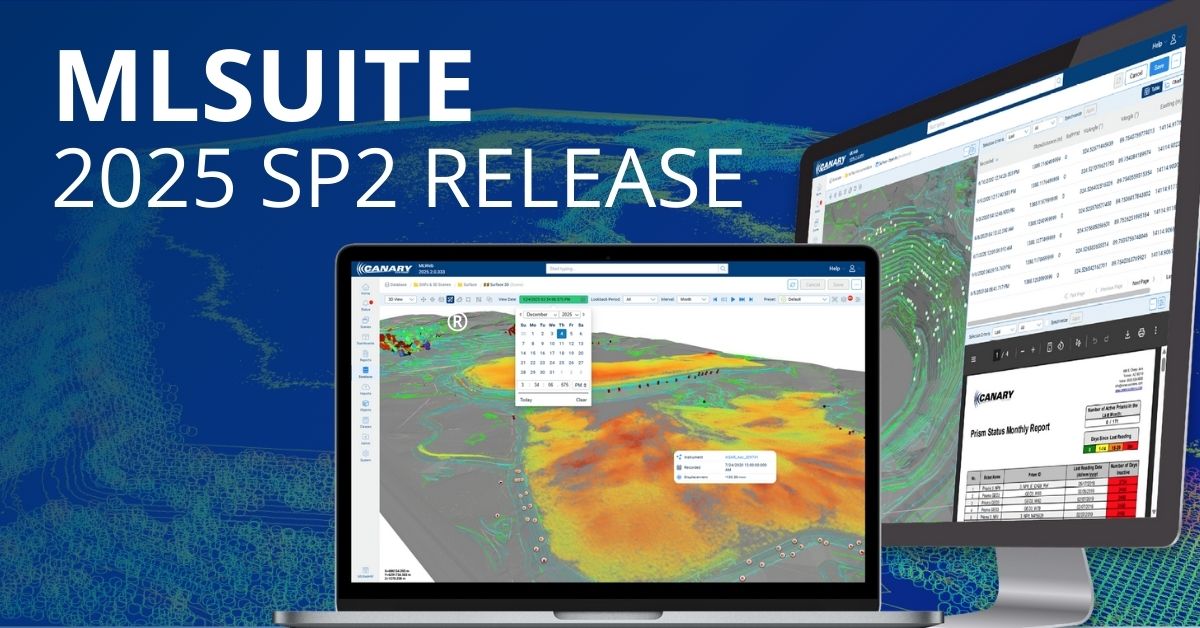
The latest version of MLSuite® 2025 Service Pack 2 is now available for download and includes several enhancements and featured capabilities.
Time Machine
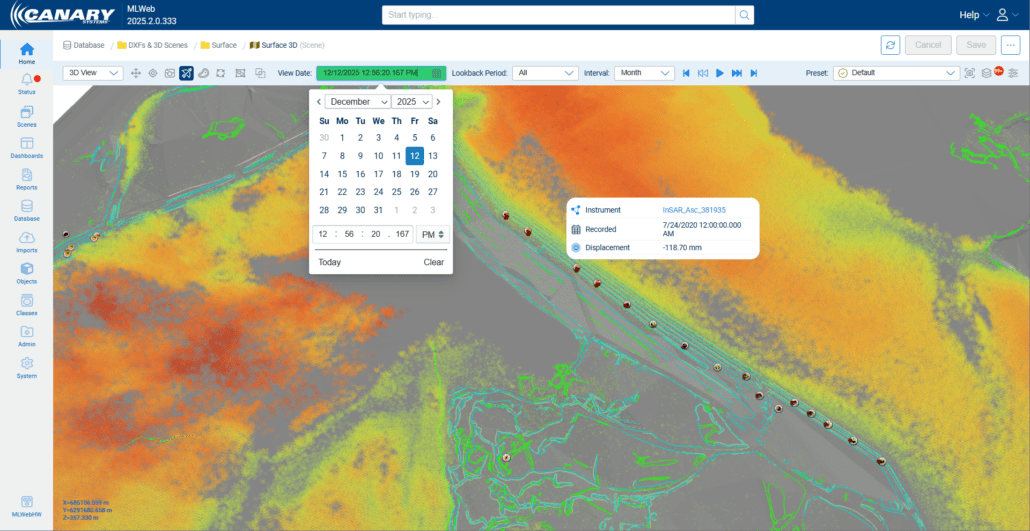
The Time Machine allows users to view and navigate historical data as it appeared on a scene at the time of recording. This enables users to analyze how conditions and measurements evolved over time by visualizing past states of instruments and data points.
Since different data types are recorded at varying frequencies and intervals, a Lookback Period can be configured to include the most recent data collected within a specified timeframe prior to the View Date. This ensures comprehensive visualization even when data points were not captured simultaneously.
Slideshow Controls allow users to navigate through the historical timeline either manually or automatically, observing how data values and conditions changed across the selected period.
Dashboard Improvements: External Web Content
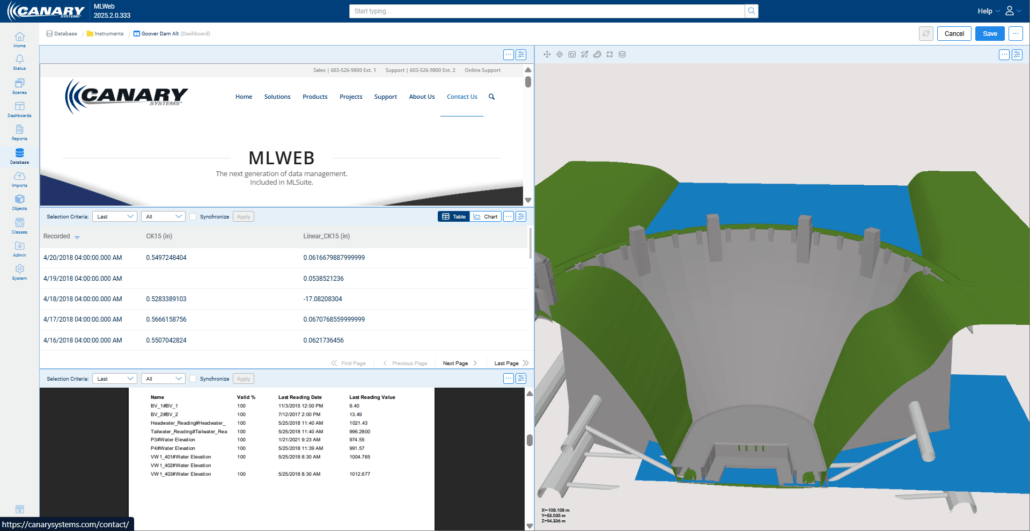
Dashboards can be configured to display scenes, outputs, data content, and now the ability to view external web-based items in a variety of different panel layouts.
To display external content (such as webpages) in a dashboard, users must first add the URL as an attachment in the database. After successfully adding the URL as an attachment, users can select this attachment as a dashboard panel.
MLWebHardware: Charts
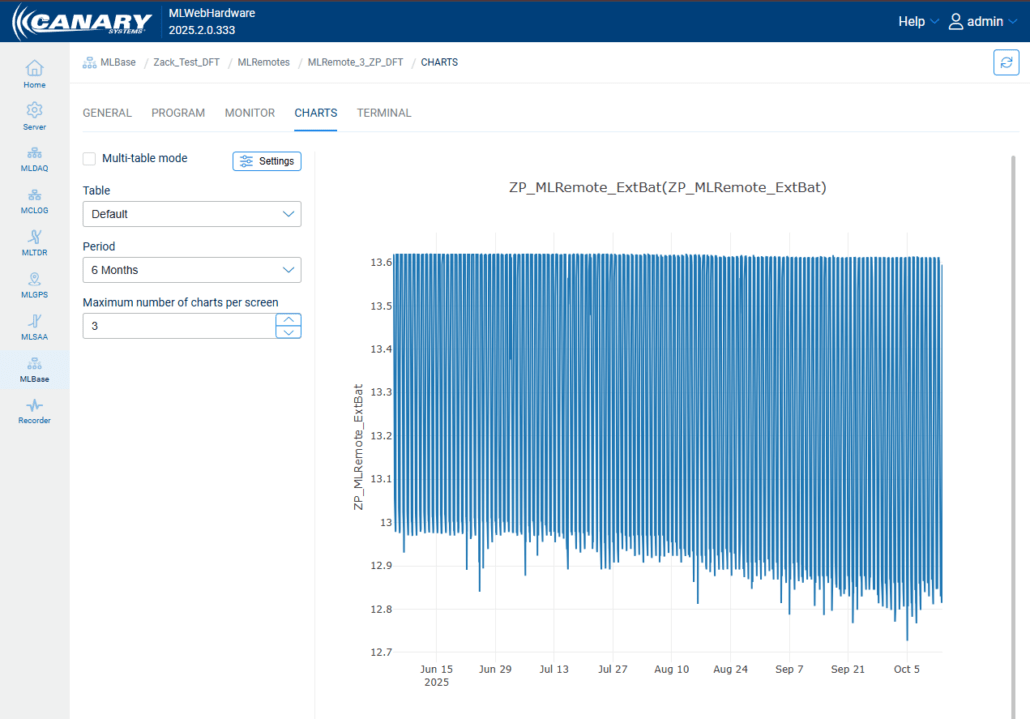
Graphical displays (charts) for all device types is now available in MLWebHardware. The Charts tab on the Device Configuration panel allows users to see a graphical display of their data in MLWebHardware. Configurations include:
- Multi-table mode – Allows for the display of charts from different tables in the charting area.
- Settings – Allows users to select elements to chart from a list of all elements with cached data from the selected table or all elements with cached data from all configured tables.
- Table – Allows users to select the table from which to chart data.
- Period – Allows users to adjust the time period for the data.
- Maximum number of charts per screen – Allows users to limit the number of charts displayed in the charting area per screen.
Additional Updates
-
Customization of object order in 2D view scenes
-
TDR and Inclinometer charts can now use customized TDR and Inclinometer functions. This currently only applies to manually created charts. Classed charts do not yet support this feature.
-
Event Recorders were added in MLWebHardware
-
MLSuite installer has been updated to allow for more flexibly when deploying a multi-server set up. MLWeb, MLWebHardware and MLAdmin can now be installed on separate machines.
Notes & Reminders
- Our API documentation is hosted within the MLSuite application. The API can be accessed from the Help Menu from within MLWeb or at[serverdomain]/content/docs/rest-api.html.
If you need any assistance with upgrading to the latest version, or have any other questions about MLSuite, please reach out to our support team.


