
• Sales | 603-526-9800 Ext. 1
  • Support | 603-526-9800 Ext. 2
  • Online Support
  • English English English en
  • Français Français French fr
  • Português Português Portuguese (Brazil) pt-br
  • Indonesia Indonesia Indonesian id
  • Español Español Spanish es
Canary Systems
  • Home
  • Solutions
  • Products
    • Hardware
    • Software
    • Services
  • Projects
    • Project Profiles
    • Papers
  • Support
    • Software Downloads
    • Support Plans
    • Release Reports
    • Third Party Downloads
  • About Us
    • Company History
    • Key Staff
    • Partners
    • Memberships
    • News
    • Events
    • Careers
  • Contact Us
  • Click to open the search input field Click to open the search input field Search
  • Menu Menu

MLSuite 2025 SP1 Release Announcement
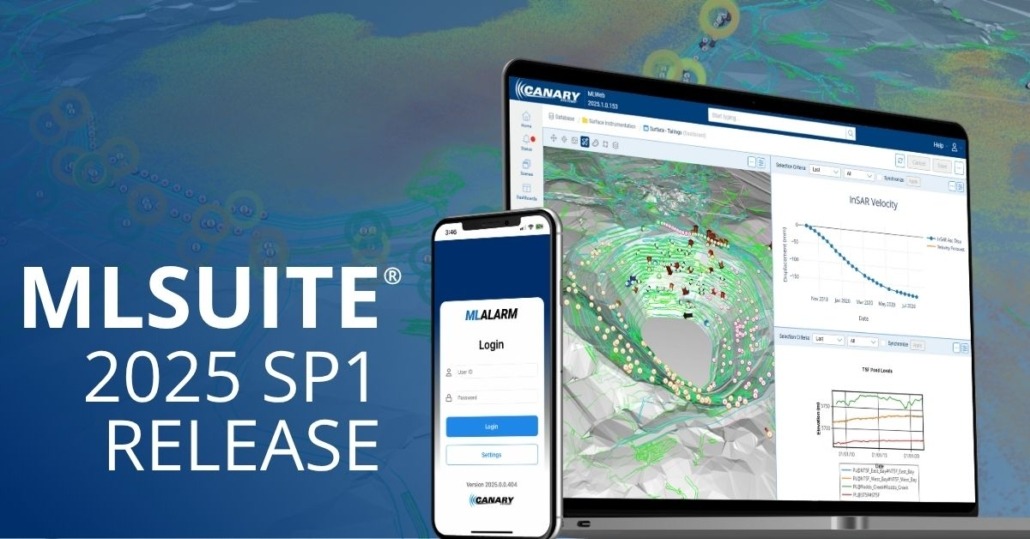
The latest version of MLSuite® 2025 Service Pack 1 is now available for download and includes several enhancements and featured capabilities.

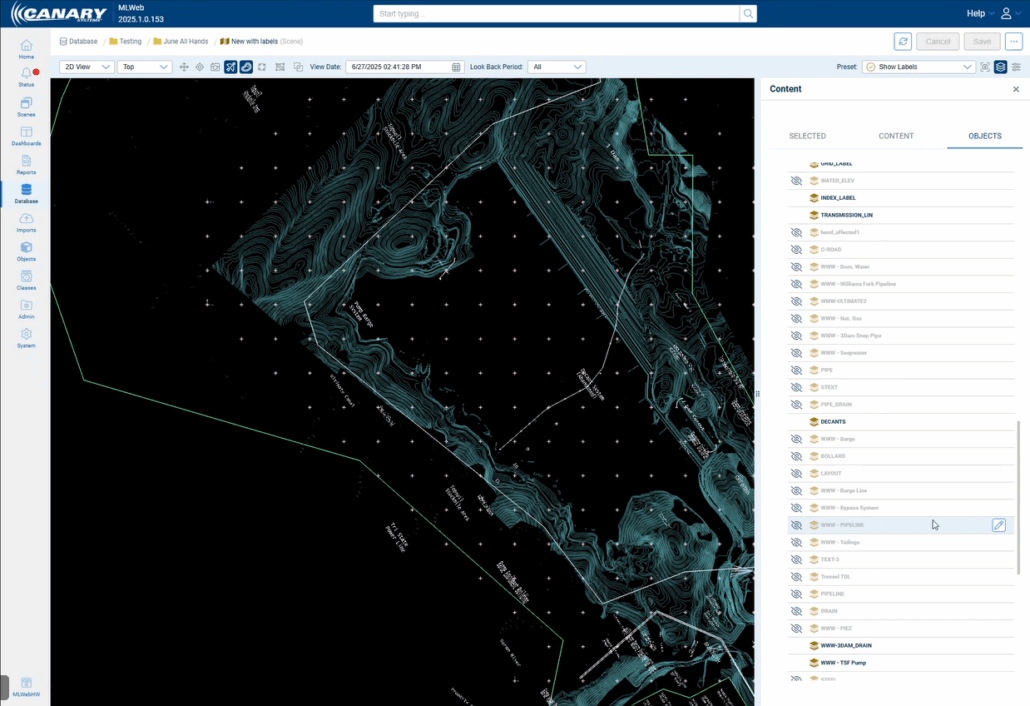
Scene Improvements: Opacity and Text Object Layers

Opacity can now be changed for objects within a scene, allowing users to see layers and multiple overlayed objects. DXF or object layers will now also have the ability to display text labels. These labels are displayed as a layer and thus can be hidden or displayed as desired.
Dashboard Improvements: New Layouts and Direct Data View

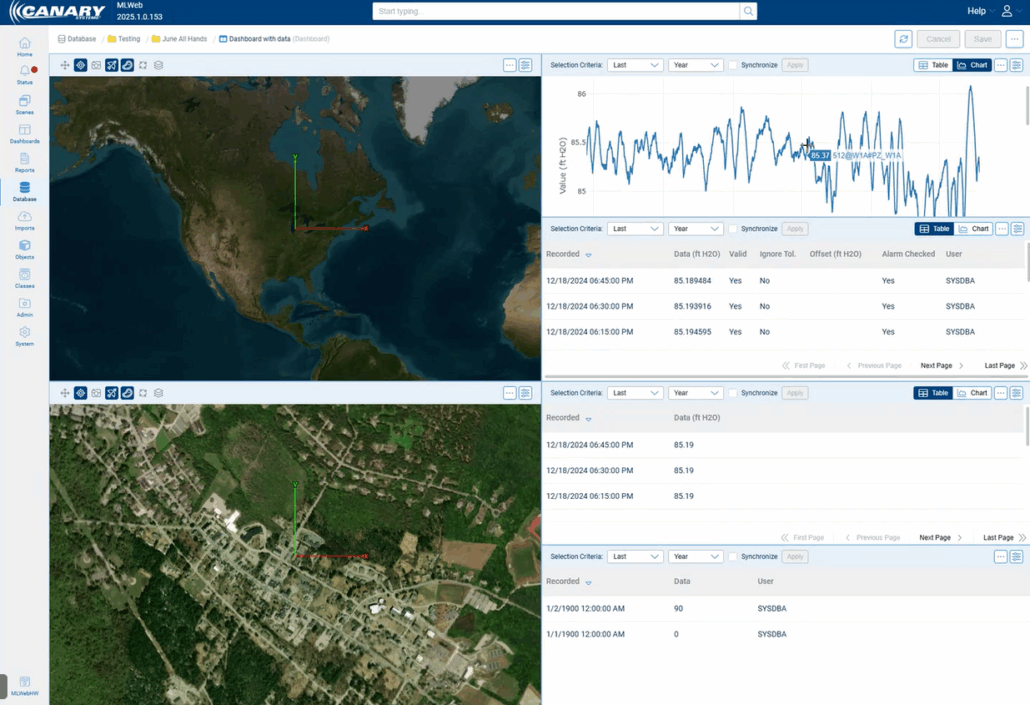
There are several new layout options for dashboards in MLWeb (16 layout options in total), offering improved flexibility to end users.

Data can now also be included directly within a dashboard for a more hands-on overview. This includes instrument data, element data, calculated element data, and property data. This data can be viewed as a table or chart.

Dashboards can also be configured to show multiple views of the same scene with different presets, allowing for a more general overview and focused scope of certain locations on a site.

Section Charts: Configuration via Classing

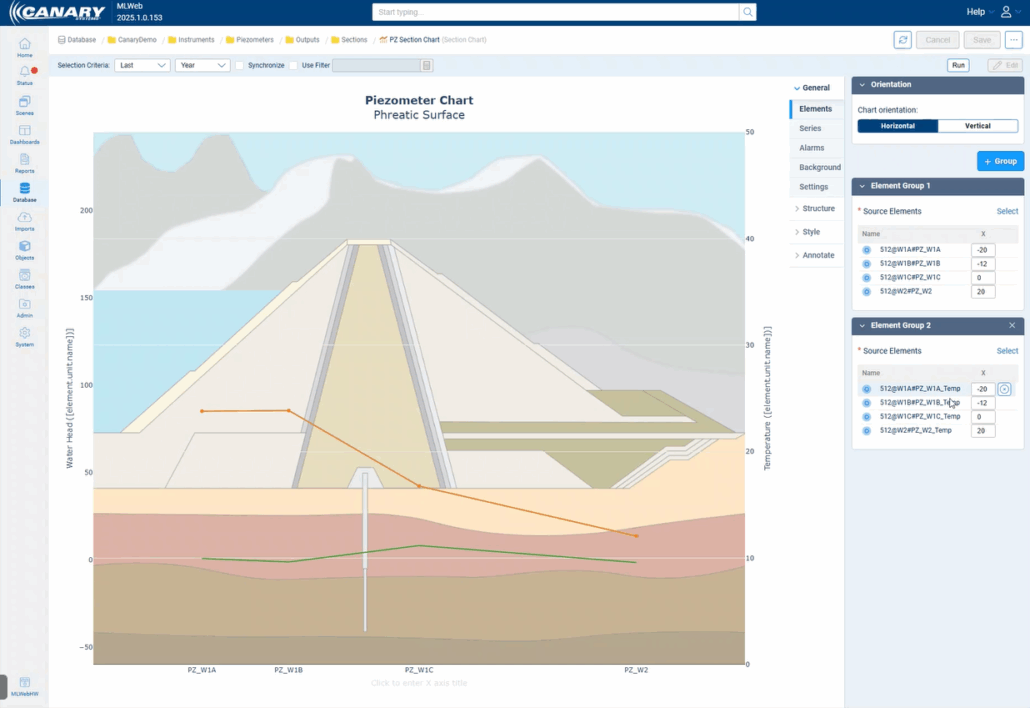
Section charts can now be configured through classing in MLWeb. From within Class Design, Class Outputs would be selected in order to display multiple instruments in a single chart. Both manual and auto-selected series can be displayed together on the same chart.
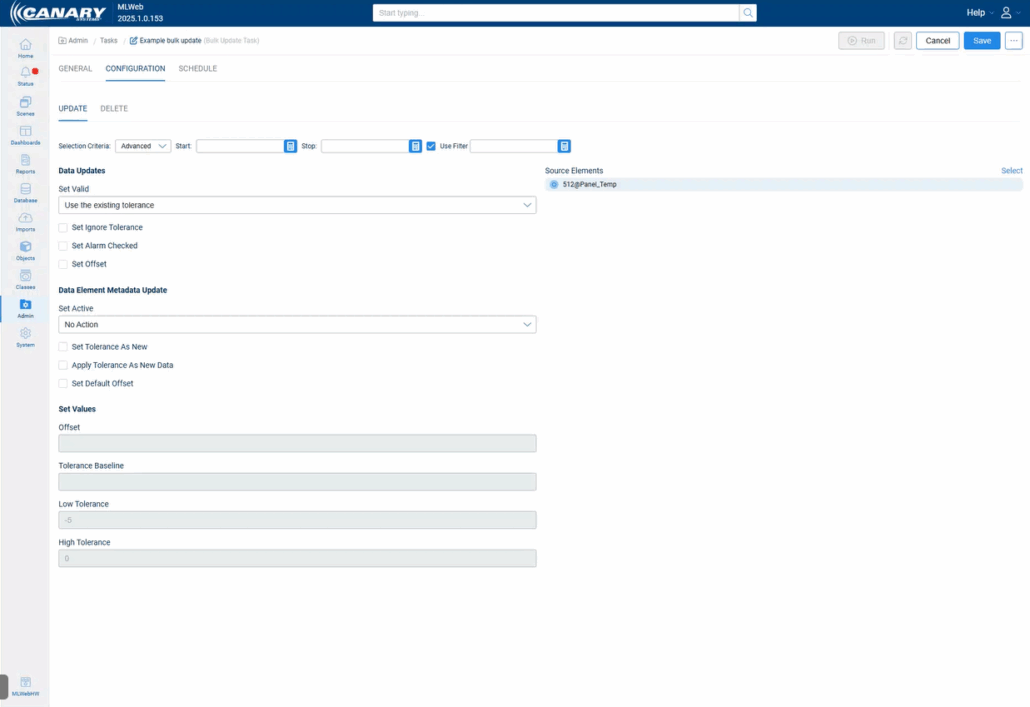
Bulk Update: Selection Criteria

Under the bulk update feature, users can select Last, Custom, and now Advanced which introduces a “Use Filter” option. This allows users to be more specific with what data they want to update or delete.

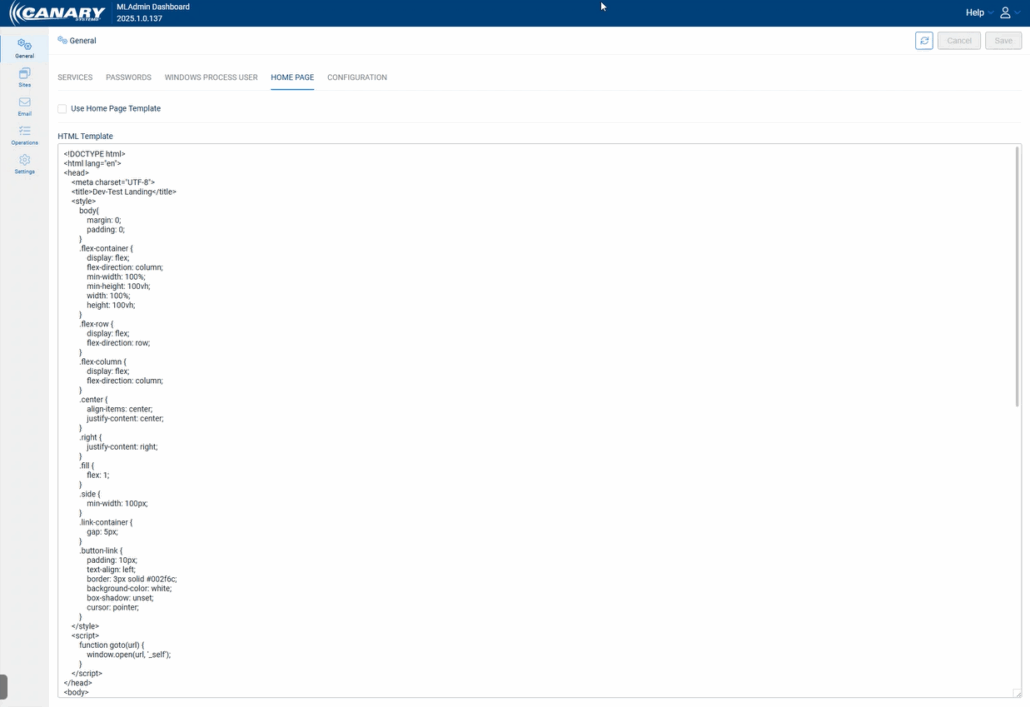
MLAdmin: Custom Home Pages

Custom home pages can now be configured to display links to all available databases on a server. The page is completely customizable with HTML from within MLAdmin. Example HTML for a starter home page is provided Appendix H in the MLSuite 2025 SP1 Installation Guide.
MLAdmin: Active Directory Login

MLWeb access via Windows Active Directory or Azure Active Directory can now be enabled or disabled from within MLAdmin directly, making configuration much easier and more simple for users.

MLWebHardware: Device Type, MLGPS Receivers, and MLRemote Baud Rate

MLSuite can now automatically detect a device type when the IP and port are added when adding a new logger. After testing the connection, a tooltip window will appear verifying that the test was successful, and device type was detected.

GNSS receivers can now be configured under MLGPS in MLWebHardware with many of the same features and configuration options as MLGPS.

The baud rate for MLRemotes can now be automatically detected. If an incorrect Baud Rate is entered during device configuration, the system will prompt for a baud rate detection scan and confirm the correct rate.

Notes

  • As of the release of 2025.0.0, servers will now be required to have .NET 8 installed – previous versions were using .NET 7.
  • Our API documentation is now hosted within the MLSuite application. This means that the documentation will now automatically update as new features and changes are implemented to reflect the version of the software installed. The API can be accessed at [serverdomain]/content/docs/rest-api.html.
  • For databases that previously had Azure Active Directory configured, users will need to update the settings in MLAdmin.

If you need any assistance with upgrading to the latest version, or have any other questions about MLSuite, please reach out to our support team.

Recent News

  • Canary Systems Featured in Engineering and Mining JournalMay 18, 2026 - 12:06 pm
  • Geotechnical Radar Monitoring CourseApril 23, 2026 - 10:25 am
  • See you at SME 2026!February 12, 2026 - 4:43 pm
  • Advisory Board Press ReleaseFebruary 2, 2026 - 1:04 pm
  • Slope Stability 2025 Workshop Recap & PresentationDecember 16, 2025 - 4:43 pm

News & Announcements

  • Canary Systems Featured in Engineering and Mining JournalMay 18, 2026 - 12:06 pm
  • Geotechnical Radar Monitoring CourseApril 23, 2026 - 10:25 am
  • See you at SME 2026!February 12, 2026 - 4:43 pm
  • Advisory Board Press ReleaseFebruary 2, 2026 - 1:04 pm
  • Slope Stability 2025 Workshop Recap & PresentationDecember 16, 2025 - 4:43 pm

Additional Resources

  • Careers
  • Partners
  • Privacy Policy
  • App Privacy Policy
Contact Us

Sign Up for Our Announcements

© Copyright - Canary Systems
  • Link to Facebook
  • Link to Instagram
  • Link to LinkedIn
  • Link to Vimeo
Link to: Celebrating National Dam Safety Awareness Day! Link to: Celebrating National Dam Safety Awareness Day! Celebrating National Dam Safety Awareness Day! Link to: Canary Systems is Driving Smarter Decision-Making in Tailings Management Link to: Canary Systems is Driving Smarter Decision-Making in Tailings Management Canary Systems is Driving Smarter Decision-Making in Tailings Management
Scroll to top Scroll to top Scroll to top

This site uses cookies. By continuing to browse the site, you are agreeing to our use of cookies.

OKLearn more×

Cookie and Privacy Settings


How we use cookies

We may request cookies to be set on your device. We use cookies to let us know when you visit our websites, how you interact with us, to enrich your user experience, and to customize your relationship with our website.

Click on the different category headings to find out more. You can also change some of your preferences. Note that blocking some types of cookies may impact your experience on our websites and the services we are able to offer.

Essential Website Cookies

These cookies are strictly necessary to provide you with services available through our website and to use some of its features.

Because these cookies are strictly necessary to deliver the website, refusing them will have impact how our site functions. You always can block or delete cookies by changing your browser settings and force blocking all cookies on this website. But this will always prompt you to accept/refuse cookies when revisiting our site.

We fully respect if you want to refuse cookies but to avoid asking you again and again kindly allow us to store a cookie for that. You are free to opt out any time or opt in for other cookies to get a better experience. If you refuse cookies we will remove all set cookies in our domain.

We provide you with a list of stored cookies on your computer in our domain so you can check what we stored. Due to security reasons we are not able to show or modify cookies from other domains. You can check these in your browser security settings.

Other external services

We also use different external services like Google Webfonts, Google Maps, and external Video providers. Since these providers may collect personal data like your IP address we allow you to block them here. Please be aware that this might heavily reduce the functionality and appearance of our site. Changes will take effect once you reload the page.

Google Webfont Settings:

Google Map Settings:

Google reCaptcha Settings:

Vimeo and Youtube video embeds:

Privacy Policy

You can read about our cookies and privacy settings in detail on our Privacy Policy Page.

Privacy Policy
Accept settingsHide notification only